
Free PC Bottleneck Calculator – Check CPU & GPU Bottlenecks Instantly
Analyze your CPU and GPU balance, estimate gaming performance, and identify potential hardware limitations.
Configure Your PC
Select your CPU, GPU, RAM, and display resolution to calculate your PC bottleneck. Get instant performance analysis, estimated gaming FPS, and upgrade recommendations in seconds.
Select your PC components to calculate your bottleneck and estimate gaming performance.
Your Bottleneck Analysis Results
Estimated Gaming FPS
— – — FPS
Smart Upgrade Advice ⚡
Recommended Upgrade Options
Your Selected Components
For better performance, consider upgrading the recommended component.
Based on real-world performance estimates.
Our PC Bottleneck Calculator analyzes your selected CPU, GPU, RAM, and resolution to estimate potential performance limitations. Use the results to understand your system balance and identify possible upgrade opportunities..
PC performance depends on how well your CPU, GPU, RAM, and display resolution work together. A component can become a performance limitation when another part of the system cannot keep up. Our calculator helps you identify potential bottlenecks and understand where an upgrade may improve your system..


Lag, stuttering, and low FPS can have different causes. The calculator helps you understand whether your CPU, GPU, or overall system balance may be contributing to performance limitations..
Below, you’ll learn how bottlenecks work, how to interpret your results, and what factors can affect real-world gaming performance.
How do you use our PC Bottleneck Calculator?
Using our PC Bottleneck Calculator is simple. You don’t need to be a PC expert or install any software. Select your CPU, GPU, RAM, screen resolution, and usage type, then run the calculator to analyze your system and identify potential CPU or GPU bottlenecks.
Within seconds, you’ll receive an estimated report showing your system’s performance balance and potential bottleneck percentage. The results can help you understand how your CPU and GPU work together and identify possible hardware upgrades. Actual gaming performance can vary depending on the game, settings, drivers, thermals, and other system factors.
1
Step No 1: Select Your CPU, GPU, and RAM
Begin by selecting your CPU, GPU, and RAM from the available options. These components help determine your system’s overall performance and potential bottleneck. Choosing the correct hardware ensures that the calculator can provide a more relevant analysis.
2
Step No 2: Choose Your Usage Type and Resolution
Select how you plan to use your PC, such as gaming, streaming, or everyday tasks. Then choose your screen resolution, such as 1080p, 1440p, or 4K. Resolution and workload can affect CPU and GPU utilization and your estimated results.
3
Step No 3: Run the Calculation
After selecting your hardware and settings, click Calculate to run the analysis. The calculator processes your selected components and settings to estimate potential CPU and GPU performance limitations.
The analysis is completed online, so you don’t need to install additional software.
4
Step No 4: Check Your Bottleneck Result
Once the analysis is complete, you’ll see your estimated bottleneck percentage and performance information. The result helps you understand whether your CPU or GPU may be limiting overall system performance under the selected settings.
Use the result as a starting point for understanding your system. A higher estimated bottleneck does not always mean that a component needs to be replaced, because real-world performance depends on the game, workload, settings, and other hardware factors.
5
Step No 5: Understand and Take Action
Review the result to understand how your CPU and GPU may be working together under the selected settings. If a potential bottleneck is identified, consider the recommended upgrade options along with your budget, workload, and actual performance needs.
Use these recommendations as a starting point when evaluating potential hardware upgrades. Your actual gaming performance and FPS can vary depending on the game, settings, drivers, thermals, and other system factors..
What is a Bottleneck Calculator?
A bottleneck calculator is an online tool that analyzes your PC hardware to estimate whether your CPU, GPU, or another component may be limiting overall system performance. By evaluating how your hardware works together, it can help identify potential performance limitations that may affect FPS, responsiveness, or overall gaming performance..
A bottleneck calculator can help you evaluate your system before upgrading or troubleshooting performance issues. By comparing your selected hardware and workload, it provides an estimate of potential limitations and can help you make more informed upgrade decisions..
How does a CPU-GPU bottleneck calculator work?
A CPU-GPU bottleneck calculator evaluates how your processor and graphics card may perform together under a selected workload. It considers your hardware configuration, RAM, screen resolution, and usage type to estimate potential CPU or GPU limitations.
Select your CPU, GPU, RAM, screen resolution, and usage type to get started. The calculator evaluates your selected configuration and provides an estimated bottleneck result and performance information. Actual results can vary depending on the game, settings, drivers, thermals, and other system factors.
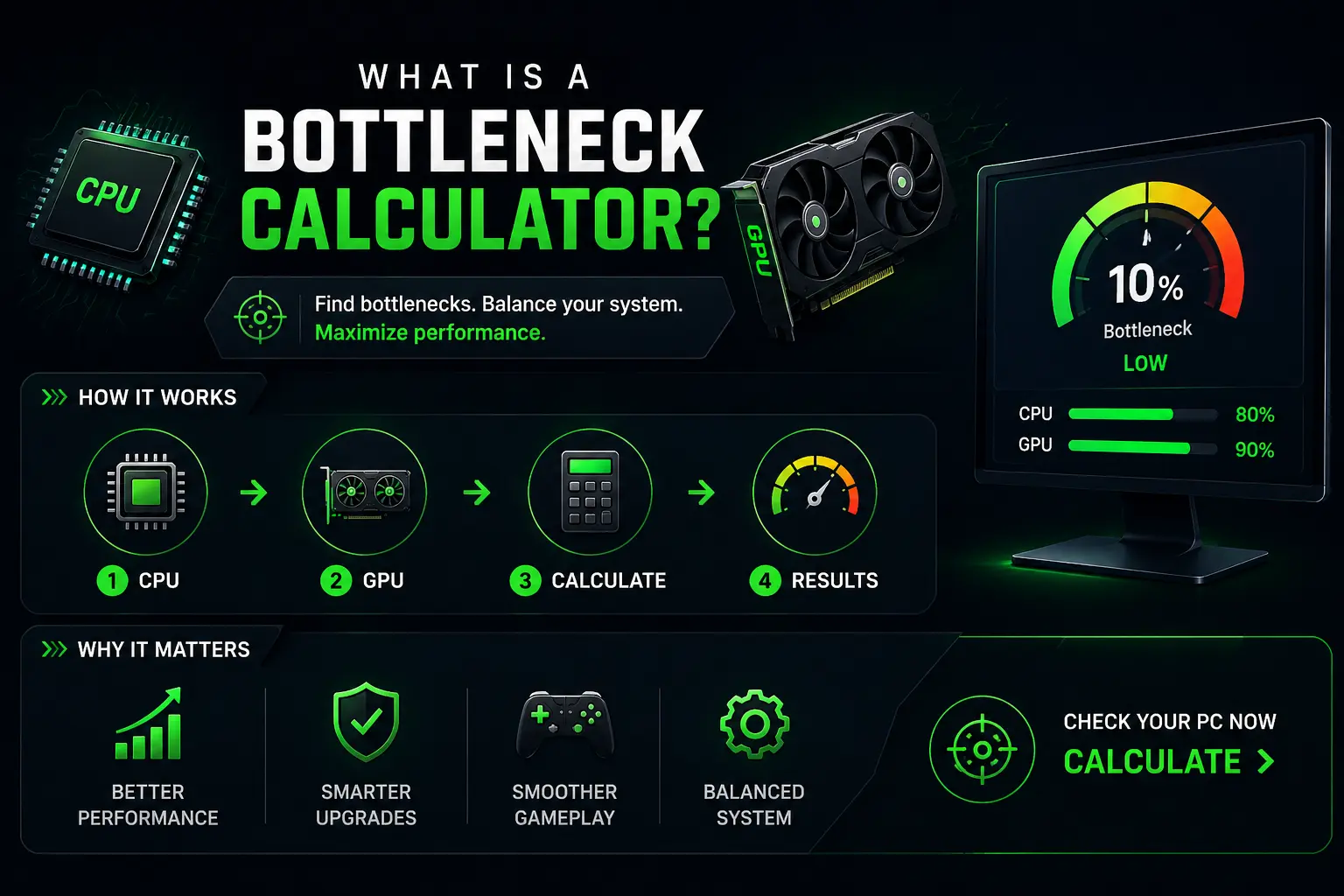
Core Features of Our PC Bottleneck Calculator
Our PC Bottleneck Calculator analyzes your CPU, GPU, RAM, resolution, and usage settings to help identify potential performance limitations. Explore the features below to understand what the calculator evaluates and how the results can help you assess your PC.
CPU Performance
Core count and clock speed affect frame times in CPU-bound games.
Quick fix: Consider a CPU upgrade if your processor is consistently limiting performance in CPU-bound workloads.
GPU Power
GPU performance and VRAM can affect graphics quality, resolution, and performance in demanding games.
Quick fix: Upgrade to a GPU with more VRAM for higher resolutions.
RAM Capacity
RAM capacity can affect gaming and multitasking performance, especially when your system is running memory-intensive workloads.
Quick fix: Check your memory usage before deciding whether a RAM upgrade is necessary.
Instant Bottleneck Check
Enter your CPU, GPU, RAM, and system settings to get an estimated bottleneck result without installing additional software.
Resolution-Based Performance Testing
Compare estimated performance across 1080p, 1440p, and 4K resolutions to understand how resolution can affect your system.
Multi-Component Analysis
Analyze your CPU, GPU, RAM, and other selected components together to identify potential performance limitations.
Who Should Use Our PC Bottleneck Calculator?
Our PC Bottleneck Calculator is useful for gamers, content creators, PC builders, and anyone planning a hardware upgrade. It can help you understand potential performance limitations before changing or upgrading your system.
Gamers
Gamers can use the calculator to understand potential CPU or GPU limitations in their games. The results can help you evaluate whether a hardware upgrade may improve your gaming experience.
Content Creators & Streamers
Content creators and streamers can evaluate their CPU, GPU, and RAM requirements for streaming, editing, rendering, and other demanding workloads.
PC Builders
PC builders can compare hardware configurations and understand how different components may work together before building or upgrading a system.
Users Planning Upgrades
Planning a hardware upgrade? Use the calculator to identify potential performance limitations and evaluate which component may need attention before buying new hardware.
PC Performance Troubleshooting
Anyone who wants to better understand their PC’s performance can use this calculator. It is easy to test GPU health, and all the components work well together. This makes system optimization easier and more informed.
Bottleneck Calculator Results and Percentages
The bottleneck percentage is an estimate of how strongly one component may limit performance relative to another under your selected settings. A lower percentage generally indicates a more balanced CPU and GPU configuration, while a higher percentage may indicate a potential performance limitation.
Use the estimated result as a starting point when evaluating your PC. It can help you identify potential CPU or GPU limitations and decide whether further testing or a hardware upgrade is worth considering. Actual gaming performance can vary depending on the game, settings, drivers, thermals, RAM, and other system factors.
0%–10% — Low Estimated Bottleneck
A result in the 0%–10% range indicates a low estimated bottleneck for the selected CPU, GPU, workload, and resolution. This generally suggests that the main components are relatively well balanced under these settings. Actual performance can still vary by game, graphics settings, drivers, and thermals..
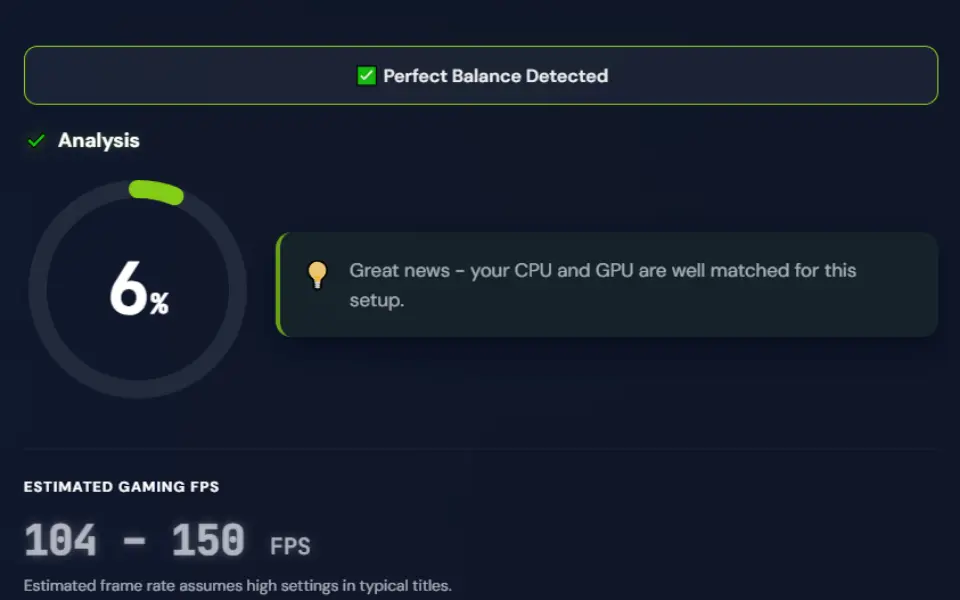
10%–20% — Mild Estimated Bottleneck
A result in the 10%–20% range may indicate a mild performance imbalance under the selected configuration. The effect can vary depending on the CPU, GPU, workload, resolution, game, and system settings.
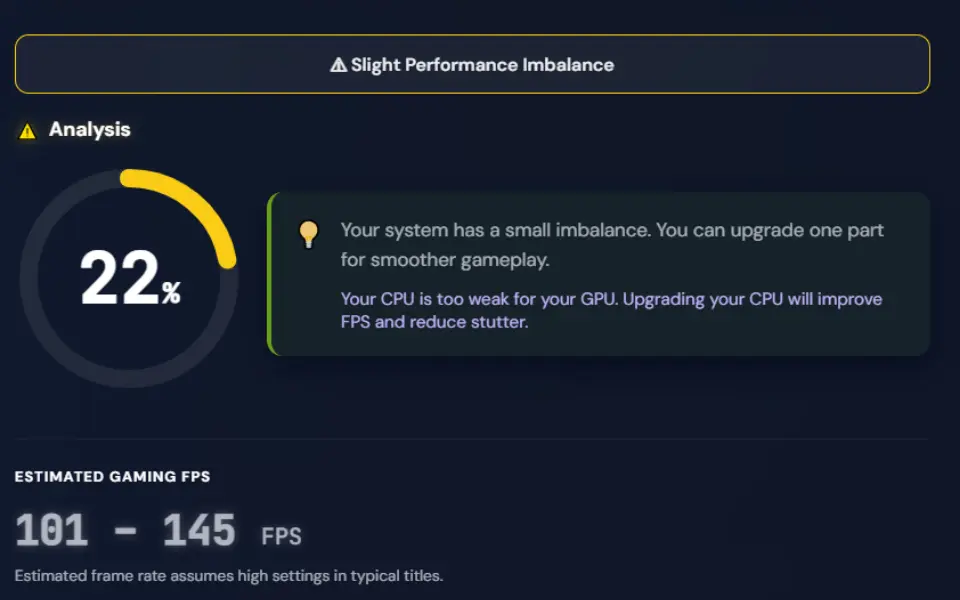
20%–30% — Moderate Estimated Bottleneck
A result in the 20%–30% range may indicate a more noticeable performance imbalance between selected components. Review the CPU, GPU, workload, and resolution before deciding whether an upgrade is necessary.
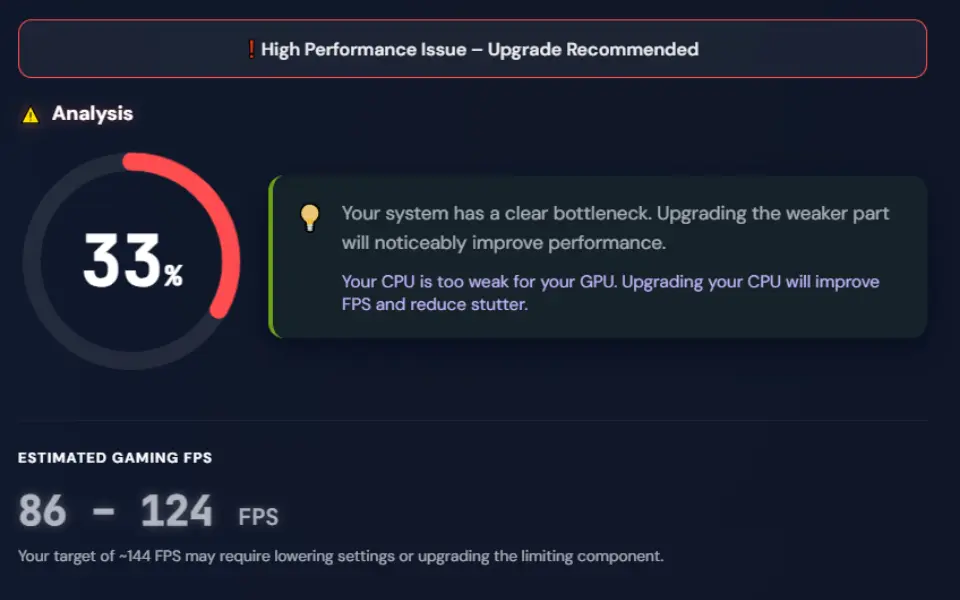
30%–50% — Higher Estimated Bottleneck
A result in the 30%–50% range may indicate a higher estimated performance limitation under the selected configuration. The effect can vary depending on the CPU, GPU, workload, resolution, game, and system settings. Review your actual performance before deciding whether an upgrade is necessary..
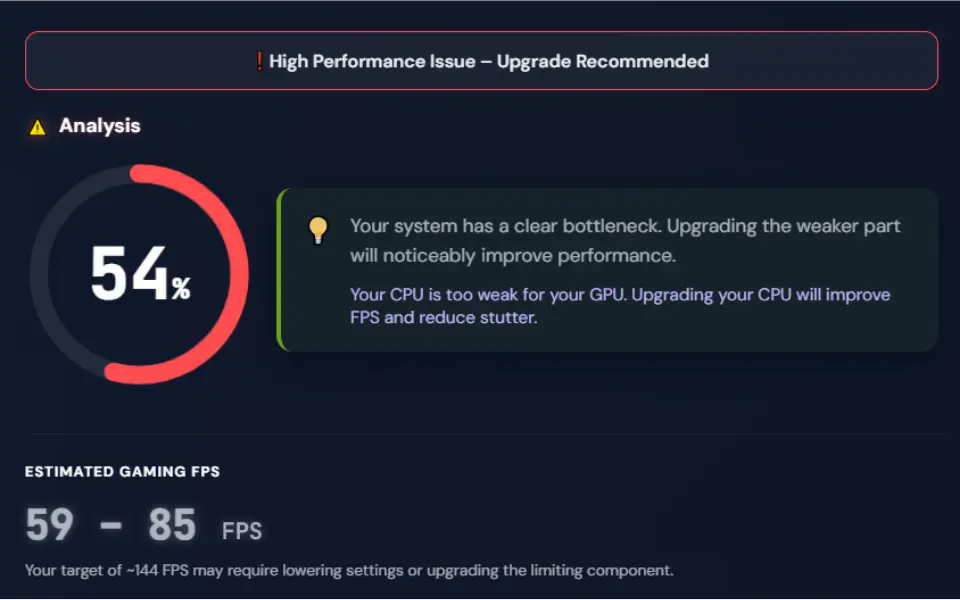
50%+ — High Estimated Bottleneck
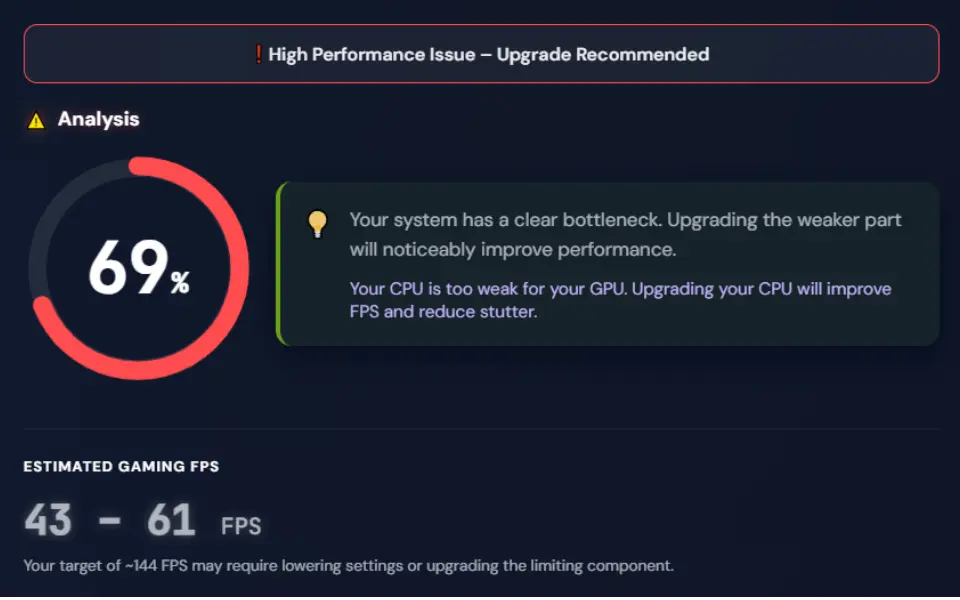
A result of 50% or higher indicates a high estimated performance limitation under the selected configuration. This may suggest that one component is significantly limiting the balance between your CPU and GPU. Review your hardware, workload, resolution, and actual in-game performance before considering an upgrade..
Types of PC Bottlenecks: CPU, GPU, RAM, and Storage
PC bottlenecks can occur when one component limits overall system performance. The most common types include CPU, GPU, RAM, and storage bottlenecks. Understanding which component is limiting performance can help you troubleshoot issues and make more informed hardware upgrade decisions.
GPU Bottleneck
A GPU bottleneck occurs when the graphics card is the main performance limitation in a workload. It is more common in graphically demanding games, higher resolutions, and higher graphics settings, where the GPU has more work to process.
- High GPU usage: GPU utilization may remain high while FPS is limited by graphics performance.
- Resolution impact: Increasing resolution and graphics settings generally increases the workload on the GPU.
- Possible solutions: Lowering graphics settings or upgrading the GPU may help when the GPU is consistently limiting performance.
RAM Bottleneck
A RAM bottleneck can occur when available system memory is insufficient for the workload. This may affect multitasking, application responsiveness, and some gaming workloads, particularly when memory usage approaches the available RAM capacity.
- High memory usage: Limited available RAM can cause slowdowns when multiple applications or demanding tasks are running.
- Gaming impact: Some games and background applications can consume significant amounts of system memory.
- Possible solutions: Closing unnecessary applications or upgrading RAM may help when your system regularly runs low on available memory.
CPU Bottleneck
A CPU bottleneck occurs when the processor becomes the main performance limitation for a workload. This can happen in CPU-intensive games, applications, simulations, and other tasks that place a high demand on processor resources.
- CPU-limited performance: CPU usage may remain high while the GPU has available capacity.
- Gaming impact: CPU limitations can affect FPS, frame-time consistency, and performance in CPU-intensive games.
- Possible solutions: Optimizing background processes, adjusting game settings, or upgrading the CPU may help depending on the workload.
Storage Bottleneck
A storage bottleneck can occur when slow or heavily utilized storage affects loading and data-access performance. It is more noticeable during tasks that frequently read or write large amounts of data.
- Loading times: Slow storage can increase game, application, and file loading times.
- System responsiveness: A heavily utilized drive can affect overall responsiveness during demanding read and write operations.
- Possible solutions: Upgrading to a faster SSD or maintaining sufficient free storage space may improve storage-related performance.
Is a PC Bottleneck Calculator Accurate?
A PC bottleneck calculator provides an estimate of how your CPU and GPU may perform together under selected hardware and system settings. The result can help you identify potential performance limitations and understand the balance between your components. Actual gaming performance can vary depending on the game, resolution, graphics settings, drivers, thermals, RAM, and other system factors. Use the calculator as a starting point and compare the estimate with real-world performance when making upgrade decisions..
Try Our Bottleneck Calculator Today
Try our PC Bottleneck Calculator to estimate potential CPU and GPU performance limitations based on your selected hardware and settings. Check your system in seconds and use the results to better understand your PC’s performance balance and possible upgrade considerations.
Frequently Asked Questions (FAQs)
Got questions? We’ve got answers.
Final Words
A PC bottleneck calculator can help you understand potential CPU and GPU performance limitations before building or upgrading a system. Use the estimated result as a starting point, then consider your actual games, workloads, resolution, settings, and hardware behavior before making upgrade decisions.
