How Much RAM Do You Need for Gaming in 2026?
If you’re building or upgrading a gaming PC in 2026, 32GB is the best overall choice for most gamers. However, 16GB is still enough for many games, especially if you don’t stream or run several applications while playing.
The simple answer isn’t that everyone needs the same amount. Your games, background applications, GPU VRAM, budget, and how long you plan to keep the PC all matter.
For a new gaming PC, 32GB gives you comfortable headroom without going as far as the unnecessary expense of 64GB for most players.
Quick Answer
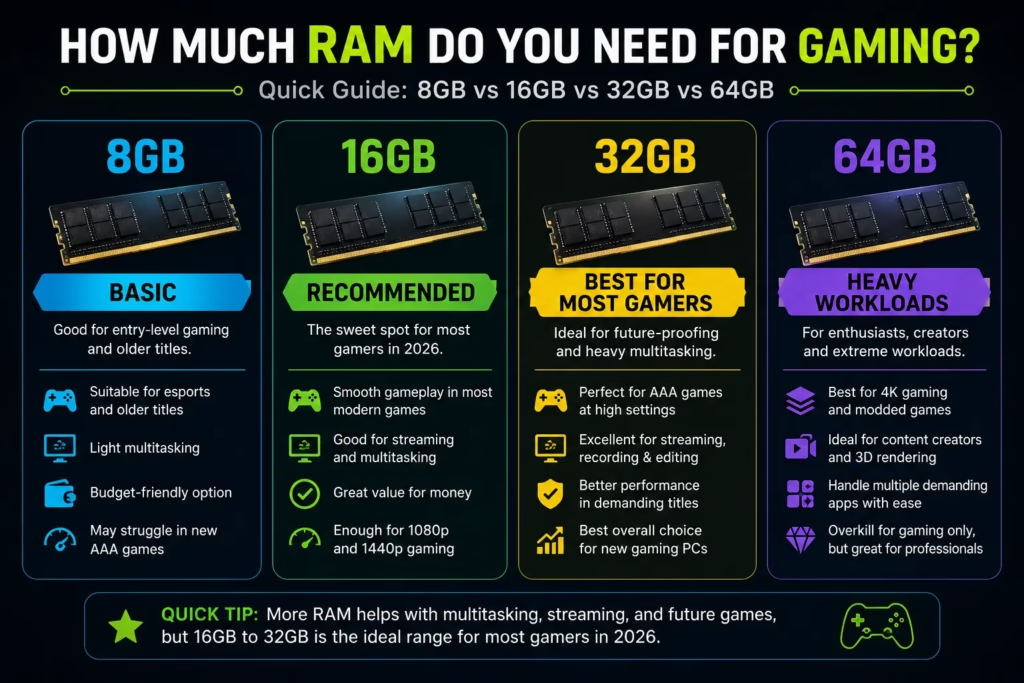
16GB is a sensible minimum for modern gaming, while 32GB is the recommended choice for most new gaming PCs in 2026.
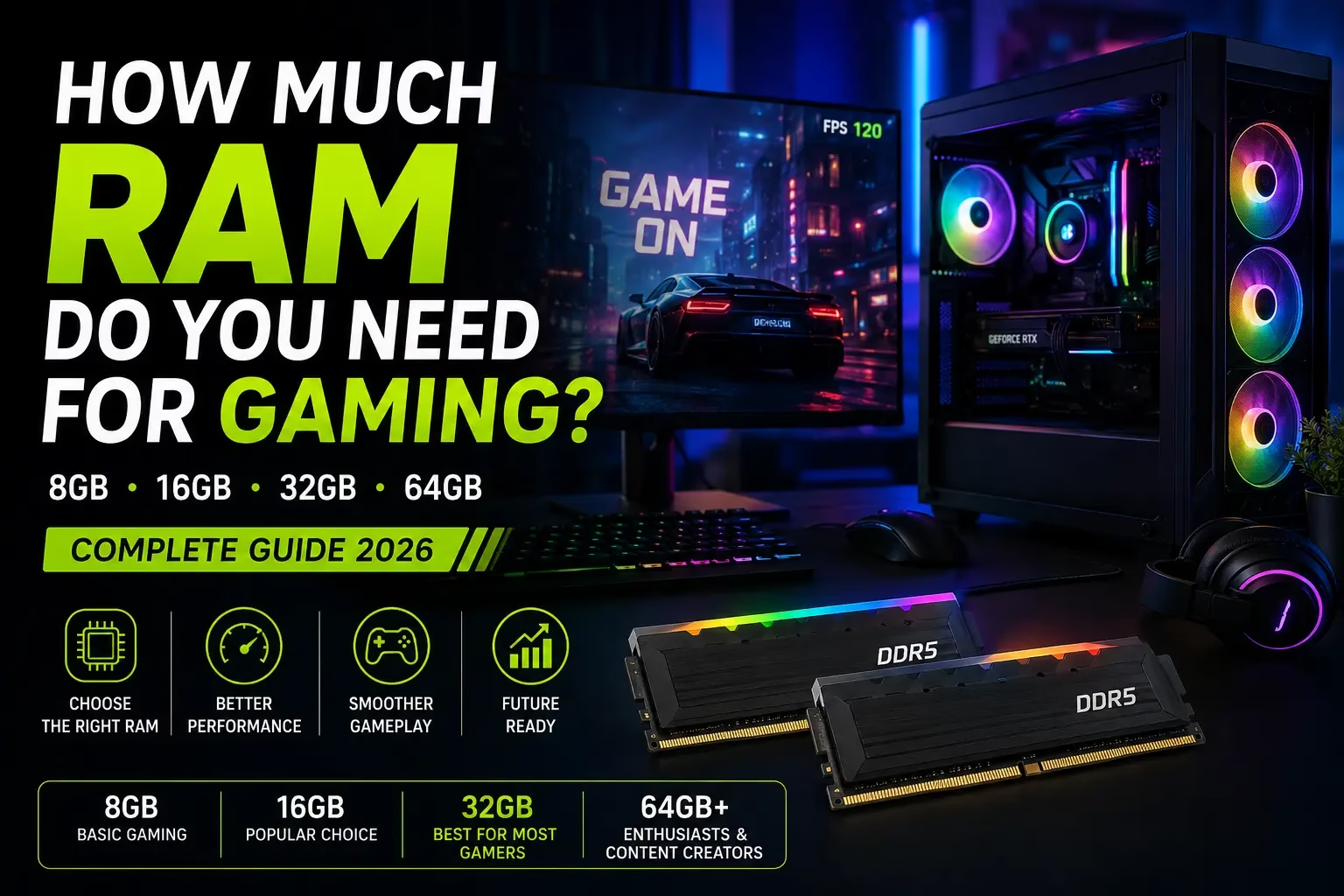
Here’s how the common capacities compare:
| RAM capacity | Best suited for | Verdict |
| 8GB | Older games, basic esports gaming | Avoid for a new PC |
| 16GB | Budget gaming, most games | Good starting point |
| 32GB | AAA gaming, multitasking, streaming, modding | Best overall choice |
| 64GB | Gaming + demanding professional workloads | Only for specific users |
| 128GB+ | Workstations and specialized workloads | Overkill for normal gaming |
There is also real-world evidence that 16GB remains common. Steam’s August 2026 Hardware Survey shows 16GB in 41.07% of surveyed systems and 32GB in 38.47%, so 16GB has not suddenly become unusable.
The difference is that 32GB gives you more room to grow.
Why Does RAM Matter for Gaming?
RAM is your PC’s short-term working memory. Games use it to keep active data available to the CPU, while Windows and your other applications use the same system memory.
When a game and your background applications consume more memory than your PC can comfortably provide, Windows has to rely more heavily on storage as temporary memory. Storage is much slower than RAM, which can contribute to stuttering and inconsistent frame times.
That doesn’t mean RAM is responsible for all gaming performance. Your GPU and CPU usually have a much larger influence on average FPS.
RAM becomes important when you don’t have enough of it.
That’s why going from insufficient memory to sufficient memory can make a noticeable difference, while adding more RAM to a system that already has plenty may change very little.
Is 16GB RAM Enough for Gaming in 2026?
If you’re asking how much RAM do you need for gaming in 2026, 16GB is still enough for many players.
Current testing shows that several demanding modern games can run similarly on 16GB and 32GB when the PC is dedicated almost entirely to gaming. For example, PC Gamer’s 2026 testing found comparable results between 16GB and 32GB in games including Cyberpunk 2077, Kingdom Come: Deliverance 2, Black Myth: Wukong, and STALKER 2.
So you don’t need to upgrade to 32GB simply because a newer game has been released.
16GB makes sense if:
You mainly play one game at a time.
You don’t stream regularly.
You keep background applications to a minimum.
You’re building a budget gaming PC.
You want to spend more of your budget on the GPU.
The catch is headroom.
In some of PC Gamer’s testing, games running with 16GB left only a few gigabytes available for other applications. That can become a problem when you add a browser, Discord, streaming software, or other programs.
So 16GB is still viable, but 32GB is more comfortable.
Is 32GB RAM Overkill for Gaming?
No. 32GB is not overkill for a new gaming PC in 2026, although it isn’t required for every gamer.
The benefit of 32GB is mostly additional headroom rather than a guaranteed FPS increase.
Suppose your game uses 13GB and Windows plus your background applications use another 3GB. A 16GB system has very little room left. A 32GB system has plenty.
That extra space becomes useful when you’re:
- Playing demanding AAA games.
- Running Discord and a browser.
- Streaming or recording gameplay.
- Using large mod packs.
- Running several applications simultaneously.
- Planning to keep your PC for several years.
Microsoft’s 2026 gaming guidance also moved toward treating 16GB as a practical starting point and 32GB as the more future-oriented configuration, reinforcing the idea that 32GB is no longer an enthusiast-only capacity.
How Much RAM Do AAA Games Need?
Most AAA games can still run with 16GB, but 32GB is the safer choice for demanding titles and multitasking.
There isn’t a single RAM requirement for every AAA game. Official requirements vary, and actual memory consumption depends on the game engine, graphics settings, background applications, texture settings, and hardware configuration.
Some newer titles can consume considerably more system memory than older games. In testing of modern games, certain titles showed much higher memory usage on a 32GB system than on a 16GB system, while others showed little practical difference.
This is why the better question is not:
“Do AAA games require 32GB?”
It’s:
“Will 16GB leave enough memory for my game and everything else I want to run?”
If you’re buying a new PC and don’t want to think about that question again for several years, 32GB is the safer answer.
How Much RAM Do You Need for Different Types of Gaming?
Your gaming habits are a better guide than the number printed on a game’s box.
1-Competitive and Esports Games:
16GB is generally enough for competitive gaming.
If you mainly play games such as Valorant, Counter-Strike 2, League of Legends, or similar esports titles, there’s usually little reason to buy 64GB of RAM.
If you’re working with a limited budget, put more of your money toward the GPU, CPU, monitor, or other components that have a more direct effect on your setup.
2-Modern AAA Games:
16GB can work, but 32GB is preferable for a new PC.
Large open-world games and newer releases can put more pressure on system memory, particularly when you’re also running background applications.
3-Gaming With Discord, Chrome, and Spotify:
32GB is the comfortable option.
If your normal gaming session includes Discord, multiple browser tabs, Spotify, game launchers, and other utilities, 32GB gives Windows considerably more breathing room.
4-Gaming and Streaming:
Choose 32GB for regular streaming.
Streaming adds another workload to the PC. You may have the game, OBS, browser tabs, Discord, alerts, and other software running simultaneously.
The extra capacity isn’t necessarily going to increase your game’s average FPS, but it reduces the chance that system memory becomes the limiting factor.
5-Heavily Modded Games:
32GB is a good target for heavy modding, while 64GB can make sense for unusually large setups.
Large texture packs, extensive mod lists, simulation-heavy games, and custom maps can consume much more memory than a standard installation.
6-Gaming Plus Content Creation:
64GB is reasonable if gaming is only one of your workloads.
If you also edit high-resolution video, render 3D scenes, run virtual machines, or perform other memory-intensive tasks, the additional capacity can be worthwhile.
Does More RAM Increase FPS?
Usually, no. More RAM does not automatically increase FPS once your PC already has enough memory.
For example, upgrading from 16GB to 32GB won’t automatically turn a game running at 80 FPS into one running at 120 FPS.
The important distinction is between average FPS and smoothness.
When a game has enough RAM, additional capacity may produce little difference. But when memory becomes a constraint, adding RAM can reduce memory-related stuttering and improve frame-time consistency.
Intel also notes that RAM can affect frame rates and frame pacing, while emphasizing that both capacity and speed matter when choosing gaming memory.
So if your current PC has 16GB and runs your games smoothly without approaching the memory limit, upgrading solely for higher FPS probably isn’t the best use of your money.
What Are the Signs You Need More RAM?
The clearest sign is high memory usage combined with actual performance problems.
Watch for:
- RAM usage repeatedly approaching 100%.
- Stuttering when moving through game worlds.
- Poor or inconsistent frame times.
- Problems when switching between a game and other applications.
- Browser tabs or programs becoming sluggish.
- Newer games performing poorly despite adequate CPU and GPU hardware.
High memory usage by itself doesn’t necessarily mean something is wrong. Windows uses available memory for caching and other purposes.
The important question is whether you’re running out of usable memory while performing the tasks you care about.
How Do You Check Your RAM Usage?
Windows makes this easy.
Press:
Ctrl + Shift + Esc → Performance → Memory
Task Manager shows:
- Total installed RAM
- Current memory usage
- Available memory
- Memory speed
- Number of memory slots in use
You can also check installed memory through:
Settings → System → About → Device specifications
For troubleshooting, check Task Manager while your game is actually running. Looking at RAM usage while the PC is sitting idle doesn’t tell you much about what happens during gaming.
RAM vs VRAM: What’s the Difference?
RAM and VRAM are different types of memory and solve different problems.
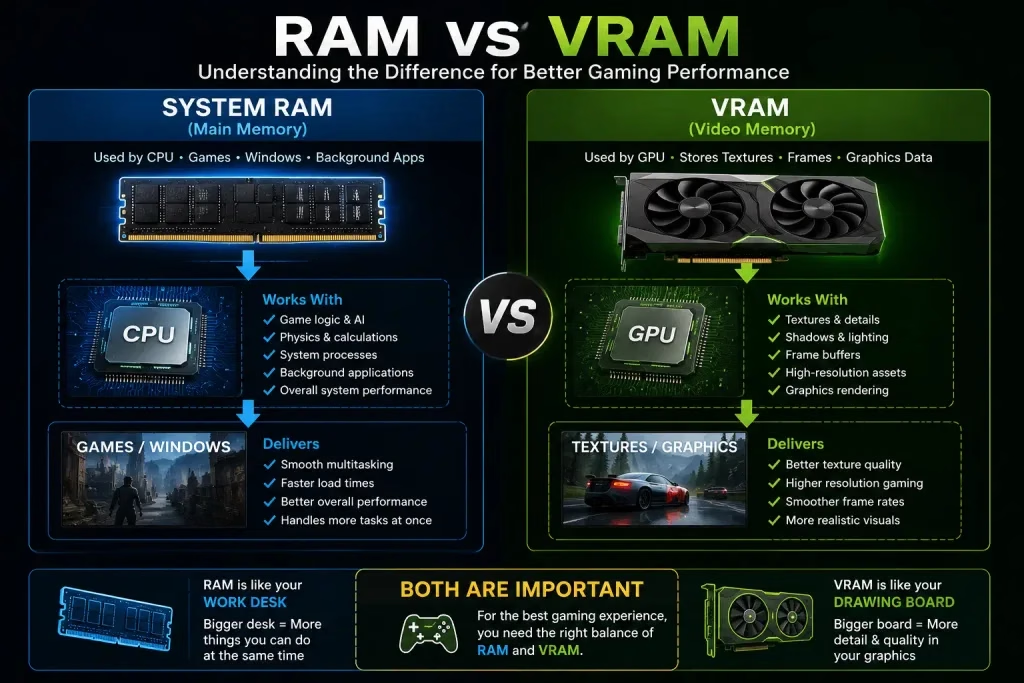
System RAM is used by your CPU, Windows, games, and applications.
VRAM is dedicated to the graphics card and is used heavily for graphics data such as textures, frame buffers, and other assets.
This distinction matters because more system RAM cannot directly increase the amount of VRAM on your graphics card.
A GPU with limited VRAM can create additional memory pressure in some games. Recent testing has shown that systems using GPUs with less VRAM can benefit more from additional system RAM in certain scenarios.
So if your game is running out of GPU memory, buying 64GB of system RAM isn’t a substitute for having a GPU with enough VRAM.
Is DDR5 Better Than DDR4 for Gaming?
DDR5 is the better choice for a new gaming PC, but you don’t need to replace a working DDR4 system just to get DDR5.
DDR5 offers higher memory bandwidth and is the current standard on newer desktop platforms.
For a new build, DDR5 makes sense because you’re starting with a current platform.
But if you already have a good DDR4 gaming PC, upgrading the entire motherboard, CPU, and RAM solely to move to DDR5 may not deliver enough additional gaming performance to justify the cost.
In other words:
New PC → DDR5
Existing DDR4 PC → upgrade only if your current hardware actually needs it.
What RAM Speed Is Best for Gaming?
Choose a balanced memory kit rather than simply buying the highest advertised speed.
RAM performance depends on more than frequency. Capacity, memory timings, CPU architecture, motherboard compatibility, and the memory controller all play a role.
For many modern DDR5 gaming systems, DDR5-6000 is a common sweet spot, particularly on AMD platforms. But there is little reason for most gamers to pay a large premium for extreme memory speeds.
The goal is a stable, compatible configuration with sensible latency, not the biggest number on the product box.
Should You Buy One 32GB Stick or Two 16GB Sticks?
Knowing how much RAM do you need for gaming can help you avoid spending money on memory you won’t actually use.
For most desktop gaming PCs, two matched 16GB modules are the better choice.
A typical 32GB setup would be:
2 × 16GB = 32GB
rather than:
1 × 32GB = 32GB
Two compatible modules can operate in dual-channel mode, increasing memory bandwidth compared with a single-module configuration.
Use the motherboard manufacturer’s recommended slots, which are often the second and fourth slots, but always check the specific motherboard manual.
For laptops, check whether the system uses SO-DIMM memory and whether the RAM can actually be upgraded. Some thin laptops have memory soldered directly to the motherboard.
Is 64GB RAM Overkill for Gaming?
For gaming alone, 64GB is unnecessary for most people.
It becomes worthwhile when the PC is also being used for demanding workloads.
Consider 64GB if you regularly:
- Edit high-resolution video.
- Render 3D projects.
- Run virtual machines.
- Use professional creative applications.
- Play heavily modded or unusually memory-intensive games.
- Run several demanding workloads simultaneously.
If gaming is your only serious workload, 32GB is usually a better balance.
Is 128GB RAM Overkill for Gaming?
Yes, 128GB is overkill for normal gaming.
There are specialized scenarios where 128GB can be useful, but most games won’t come close to needing that amount of system memory.
If you’re deciding between 32GB and 128GB specifically for gaming, choose 32GB and use the remaining budget elsewhere.
A faster GPU, better CPU, larger SSD, or higher-quality monitor can provide a much more meaningful improvement to a gaming setup.
Is 2TB of RAM Possible?
es, 2TB of RAM is technically possible, but it is nowhere near a normal gaming requirement.
Memory capacities measured in terabytes are associated with specialized workstations, servers, virtualization, scientific computing, and other professional workloads.
A typical gaming PC is extremely unlikely to benefit from anything close to 2TB of system memory.
If you encounter a gaming PC advertised with an enormous amount of RAM, don’t assume that the larger number automatically means better gaming performance.
16GB vs 32GB RAM: Which Should You Buy?
If you’re stuck between the two, use your budget and gaming habits to decide.
Choose 16GB if:
- You’re building a budget gaming PC.
- You mainly play esports or less demanding games.
- You rarely multitask while gaming.
- You need to maximize your GPU budget.
- Your current 16GB system already performs well.
Choose 32GB if:
- You’re building a new mid-range or high-end PC.
- You play demanding AAA games.
- You stream or record gameplay.
- You use many applications while gaming.
- You install large mods.
- You want additional headroom for future games.
For most new systems, 32GB is the option I’d choose if the price difference is reasonable.
Current RAM pricing can change the calculation, though. If 32GB costs substantially more and buying it would force you to downgrade the GPU, a well-balanced 16GB system may deliver better gaming performance overall.
Should You Upgrade From 16GB to 32GB?
Upgrade when your current memory capacity is actually limiting your system.
Don’t upgrade simply because 32GB is popular.
First, monitor memory usage while playing the games you care about. If you’re regularly approaching the 16GB limit and experiencing stuttering or poor multitasking performance, moving to 32GB is a sensible upgrade.
If memory usage stays comfortably below the limit and your games are primarily GPU-limited, spending money on more RAM may not change much.
What Is the Best RAM Configuration for a Gaming PC in 2026?
For a new desktop gaming PC, the safest general recommendation is:
32GB DDR5 in a matched dual-channel configuration.
A common setup is:
2 × 16GB DDR5
Pair it with a sensible memory speed supported by your CPU and motherboard, and enable the appropriate memory profile such as XMP or EXPO if your platform supports it.
For a budget system, 16GB can still be a perfectly reasonable starting point.
For an existing DDR4 system, don’t replace otherwise capable hardware just to chase a newer RAM generation.
Final Verdict
So, how much RAM do you need for gaming?
For most people building a new gaming PC in 2026, 32GB is the best overall choice.
It gives modern games plenty of room while leaving space for Windows, Discord, browsers, streaming software, and other background applications.
16GB is still viable and remains a sensible choice for budget builds and many gamers. Current testing shows that several demanding games can perform similarly with 16GB and 32GB when the system is otherwise dedicated to gaming.
8GB should be avoided for a new gaming PC, although it can still be usable for older or lightweight games.
64GB is mainly for gamers with demanding workloads or unusually memory-heavy setups, while 128GB and 2TB are unnecessary for normal gaming.
The most important rule is simple:
Buy enough RAM to avoid running out, but don’t expect extra capacity alone to transform your FPS.
If you’re building a new PC today and the price fits your budget, 32GB DDR5 is the sensible default.
Frequently Asked Questions
Is 16GB RAM enough for gaming in 2026?
Yes. 16GB remains enough for many modern games, particularly when you aren’t running many demanding applications alongside the game. However, 32GB provides more headroom and is the better choice for many new gaming PCs.
Is 32GB RAM overkill for gaming?
No. 32GB is not overkill for most new gaming PCs in 2026. It is particularly useful for AAA games, multitasking, streaming, and long-term use. It is still unnecessary if you only play lightweight games and never multitask.
How much RAM do AAA games need?
Many AAA games can run with 16GB, but some demanding titles can benefit from 32GB. Requirements vary by game, graphics settings, background applications, and GPU configuration.
Does 32GB RAM increase FPS?
Not necessarily. If your PC already has enough RAM, moving from 16GB to 32GB may produce little difference in average FPS. The main benefit is additional headroom and better behavior when your previous capacity was becoming a limitation.
Is 8GB RAM enough for gaming?
8GB can still handle some older, lightweight, and esports games, but it is not recommended for a new gaming PC in 2026. For modern gaming, 16GB is a much safer starting point.
Is 64GB RAM necessary for gaming?
No. Most gaming-only PCs don’t need 64GB. It becomes useful when gaming is combined with video editing, 3D rendering, virtual machines, heavy content creation, or unusually demanding modded games.
Is 128GB RAM good for gaming?
128GB is far more than a typical gaming PC needs. Unless you’re running a specialized workload alongside gaming, 32GB is a much more sensible capacity.
Is 2TB RAM possible?
Yes, but 2TB of system RAM is intended for specialized workstations, servers, and professional workloads rather than normal gaming.
Should I choose 16GB or 32GB RAM?
Choose 16GB for a budget-focused gaming PC when the savings can help you buy a stronger GPU. Choose 32GB for a new mid-range or high-end PC, especially if you multitask, stream, mod games, or want more long-term headroom.
Does RAM speed matter for gaming?
Yes, but capacity comes first. Once you have enough RAM, memory speed and latency can influence performance, although extremely fast memory often provides diminishing returns compared with a balanced configuration.
Is DDR5 better than DDR4 for gaming?
DDR5 is the better choice for a new gaming PC because it is the current memory standard for newer platforms and provides higher bandwidth. However, replacing a capable DDR4 system solely for DDR5 is not always worthwhile.
Should I use 2 RAM sticks or 1?
For most desktop gaming PCs, two matched RAM modules are preferable because they can operate in dual-channel mode and provide greater memory bandwidth. A common 32GB configuration is 2 × 16GB.
How do I know if I need more RAM?
Open Task Manager while gaming and check memory usage. If your system repeatedly approaches its physical memory limit and you experience stuttering, poor multitasking, or other memory-related problems, upgrading may help.
Does GPU VRAM affect RAM requirements?
It can. A GPU with limited VRAM may place additional pressure on system memory in some games. However, adding system RAM cannot increase the physical VRAM available on your graphics card.
What is the best RAM for a gaming PC in 2026?
For most new desktop builds, 32GB of DDR5 in a matched dual-channel configuration is a strong default. Choose a stable speed and latency combination supported by your CPU and motherboard rather than paying heavily for extreme specifications.