Best CPU for RTX 5070: The Right Pick for Your Resolution and Budget
The RTX 5070 is a $549 graphics card (NVIDIA’s launch price) with 6,144 CUDA cores, 12 GB of GDDR7 memory, and a 250 W power rating. It is strong enough that the wrong CPU can hold it back — and ordinary enough that the most expensive CPU is usually wasted money. Which side of that line you fall on depends almost entirely on your resolution, your refresh rate, and the games you play.
This guide names a specific CPU for each situation, using published benchmark data rather than a theoretical bottleneck percentage. Every performance figure below is attributed to the reviewer who measured it, and every price is either a launch price or a retailer price we checked on October 22, 2026 — because a recommendation is only as good as the evidence under it.
Quick answer — the best CPU for RTX 5070:
- Best for most new builds: AMD Ryzen 7 9700X — fast in games, efficient (65 W), and reasonably priced. On a tighter budget, the Ryzen 5 9600X gives up very little.
- Best for 1080p high-refresh and esports: AMD Ryzen 7 9800X3D — the fastest gaming CPU in published testing, and the one case where spending more buys real frames.
- Already on AM4: keep your motherboard and RAM — a Ryzen 7 5700X3D or 5800X3D drop-in is the smart upgrade.
- Best Intel option / gaming + productivity: Intel Core Ultra 7 265K — weaker in pure gaming than the X3D chips, stronger in multi-core work.
- Playing at 4K: almost any modern mid-range CPU is enough. Spend the difference on something else.
How Much CPU Does the RTX 5070 Actually Need?
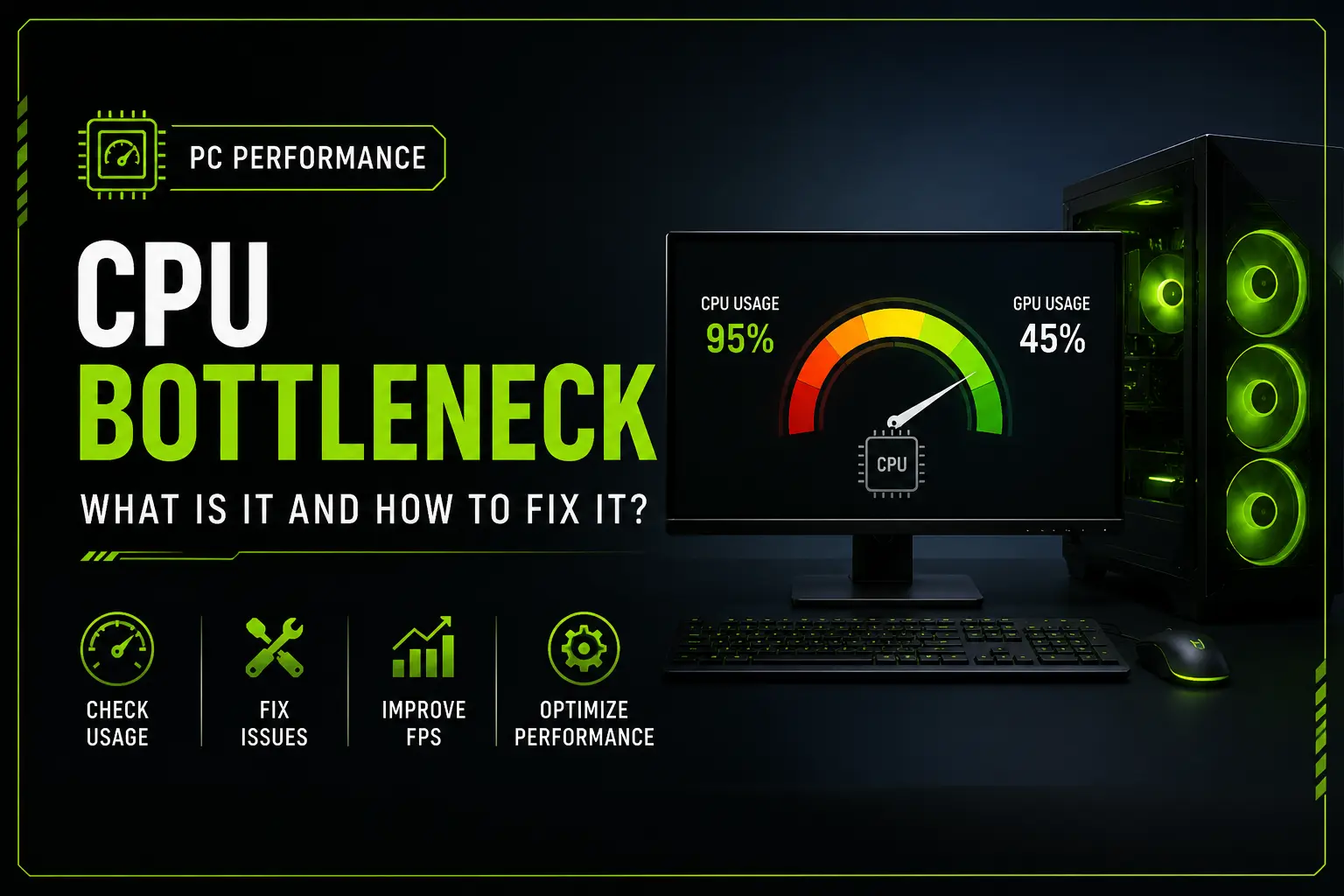
A bottleneck simply means one part of your PC is waiting on another. When your graphics card sits below full utilization while one or more CPU cores are maxed out, the CPU is the limit. When the GPU is at 97–100% and the CPU has headroom, the GPU is the limit — which is exactly what you want at most resolutions, because the GPU is the expensive part.
Resolution moves that balance more than any spec sheet does:
- 1080p is the most CPU-sensitive resolution. The GPU finishes frames quickly, so the CPU has to prepare new frames at a very high rate — especially with a 240 Hz or 360 Hz monitor. This is where CPU choice changes your frame rate the most.
- 1440p is the RTX 5070’s natural home. The GPU does more work per frame, so a good mid-range CPU fully feeds the card in most games.
- 4K is GPU-heavy. The card becomes the limit so quickly that CPU differences mostly disappear outside unusually CPU-demanding games.
This is also why you should treat any single “bottleneck percentage” — including the estimate our own bottleneck calculator gives you — as a starting point, not a verdict. A percentage cannot know your games, your settings, or your refresh rate. The same Ryzen 5 5600 and RTX 5070 pairing is described as “zero bottleneck” by one guide and as meaningfully limited by another, and both are describing real behaviour at different resolutions and settings. Use the estimate to shortlist, then check your own games with the two-minute test later in this guide. (If you want the full reasoning, we wrote it up honestly: are bottleneck calculators accurate?)
The Best CPUs for RTX 5070 at a Glance
| CPU | Best for | Cores / Threads | Boost clock | Cache (L3) | Platform | Price basis |
|---|---|---|---|---|---|---|
| Ryzen 5 9600X | Best value, new AM5 build | 6 / 12 | 5.4 GHz | 32 MB | AM5, DDR5 | $279 launch price |
| Ryzen 7 9700X | Best balanced pick | 8 / 16 | 5.5 GHz | 32 MB | AM5, DDR5 | $341 at Best Buy (Oct 22, 2026) |
| Ryzen 7 9800X3D | 1080p high-refresh, esports, no-compromise gaming | 8 / 16 | 5.2 GHz | 96 MB | AM5, DDR5 | $470.99 at Best Buy (Oct 22, 2026) |
| Ryzen 7 7800X3D | Previous-gen X3D value | 8 / 16 | 5.0 GHz | 96 MB | AM5, DDR5 | $367.99 at Best Buy (Oct 22, 2026) |
| Ryzen 7 5700X3D / 5800X3D | AM4 drop-in upgrade | 8 / 16 | 4.5 GHz (5800X3D) | 96 MB | AM4, DDR4 | 5800X3D Anniversary Edition: $349 (resumed sale, June 2026) |
| Intel Core Ultra 7 265K | Intel build, gaming + productivity | 20 (8P + 12E) / 20 | 5.5 GHz | 30 MB | LGA1851, DDR5 | $394–404 launch price |
Specifications: NVIDIA, AMD and Intel official product data. Prices are launch prices unless a retailer and date are shown; street prices move, so confirm before you buy.
Best Value CPU for RTX 5070: Ryzen 5 9600X
If you are building a new AM5 system around the RTX 5070 and want the most performance per dollar, this is the default answer. The Ryzen 5 9600X is a 6-core, 12-thread Zen 5 chip with a 5.4 GHz boost clock, 32 MB of L3 cache, and a frugal 65 W TDP, launched at $279.
The evidence that six cores are enough: in GeekaWhat’s in-house testing with this class of hardware, the 9600X averaged 249.4 FPS in Fortnite at 1080p Competitive settings — slightly ahead of the more expensive 9700X (242.3 FPS) in that title — and 284.1 FPS in Apex Legends at 1440p High. Independent CPU comparisons summarized by TechSpot put the 9600X only about 5% ahead of its predecessor, the 7600X, which cuts the other way: if you find a 7600X or 7600 heavily discounted, it is a rational budget alternative, because the RTX 5070 is not fast enough to expose the difference at 1440p in most games.
Choose the 9600X if your build is gaming-first and your budget is real. Step up to the 9700X if you also stream, edit video, or want extra headroom for CPU-heavy strategy and simulation games.
Best Balanced CPU for RTX 5070: Ryzen 7 9700X
The Ryzen 7 9700X is the sweet spot for a 1440p build: 8 cores, 16 threads, a 5.5 GHz boost, 32 MB of L3 cache, and the same 65 W efficiency as the 9600X. It launched at $359 and was selling for $341 at Best Buy when we checked on October 22, 2026.
In GeekaWhat’s testing it was the fastest of the non-X3D chips where it matters for this card: 297.6 average FPS in Apex Legends at 1440p High (vs 284.1 for the 9600X and 254.6 for the Ryzen 5 7600), and 117.9 average FPS in Marvel Rivals at 1440p High. Review aggregations put the flagship 9800X3D roughly 30% ahead of the 9700X on gaming average at 1080p — but that gap is measured with far faster graphics cards and collapses to roughly 5–10% in GPU-bound titles, which is what most 1440p gaming on a 5070 is. You are paying the X3D premium for the CPU-bound cases, not for the typical ones.
One caution: the 9700X includes no cooler, and neither does the 9600X. Budget for a decent tower air cooler; both chips are efficient enough that an expensive liquid cooler is unnecessary.
Best CPU for RTX 5070 at 1080p High Refresh: Ryzen 7 9800X3D
The Ryzen 7 9800X3D is the fastest gaming CPU you can buy, and the RTX 5070 is the fastest card where buying it is still a judgment call rather than an obvious yes. It is an 8-core, 16-thread Zen 5 processor with 96 MB of L3 cache thanks to AMD’s stacked 3D V-Cache, a 5.2 GHz boost clock, and a 120 W TDP. It launched at $479 and was $470.99 at Best Buy on October 22, 2026.
Why the cache matters: games constantly re-read the same data, and keeping it in on-chip cache instead of system memory removes one of the CPU’s biggest delays. In TechSpot’s 45-game comparison at 1080p, the 9800X3D averaged 8% faster than the 7800X3D it replaced, with much larger margins in CPU-bound titles — roughly 20–23% in Baldur’s Gate 3 and about 10% in Counter-Strike 2 at medium settings. Tom’s Hardware’s 1080p gaming hierarchy, as reported by Newegg Insider, places the 9800X3D at 97% of the fastest CPU tested, far ahead of Intel’s Core Ultra 7 265K at 70.3%.
Buy it if you play esports titles at 240 Hz or above, play CPU-heavy simulation, strategy, or MMO games, or simply want the CPU to stop being a variable for the life of the platform. Skip it if you game at 1440p or 4K on a 144–165 Hz monitor: the card will be your limit in most games, and the ~$130 premium over the 9700X buys you almost nothing there.
Ryzen 7 7800X3D vs 9800X3D: Is the Older X3D Still Worth It?
Yes — at the right price. The 7800X3D has the same 8 cores, 16 threads, and 96 MB of L3 cache as its successor, with a slightly lower 5.0 GHz boost. TechSpot’s testing puts it about 8% behind the 9800X3D on average across 45 games at 1080p, with the gap widening in a handful of CPU-bound titles (Baldur’s Gate 3, Assetto Corsa Competizione) and shrinking to almost nothing in GPU-bound ones (Marvel Rivals differed by about 1%).
The math decides it. At $367.99 (Best Buy, October 22, 2026) versus $470.99 for the 9800X3D, you are paying roughly $103 — about 28% more — for roughly 8% more gaming performance, and that 8% only shows up in full when the CPU is the limit. With an RTX 5070 at 1440p or 4K, it rarely is. If the price gap in your region is small (under ~$50), take the newer chip for its better efficiency and platform behaviour; if it looks like the US gap, the 7800X3D is the value X3D pick.
Best AM4 Upgrade for RTX 5070: Ryzen 7 5700X3D / 5800X3D
If you already own an AM4 motherboard and DDR4 memory, do not let anyone sell you a whole new platform before you price this option. The Ryzen 7 5800X3D (8 cores, 96 MB L3, 4.5 GHz boost, AM4) and its near-identical sibling the 5700X3D drop into most AM4 boards with a BIOS update and deliver X3D-class gaming performance with your existing memory. AMD even resumed selling the 5800X3D as an Anniversary Edition in June 2026 at $349.
Availability is the catch: stock of both chips comes and goes, and the 5700X3D is often the one actually on shelves. Their gaming performance is close enough that the correct advice is unglamorous — buy whichever one you can actually find at a sane price, and check your motherboard’s CPU support list and BIOS version before ordering.
This is also the honest answer for the most common question in this niche: a Ryzen 5 5600 owner does not need to abandon AM4 to enjoy an RTX 5070. The X3D drop-in is the cheap exit; the full AM5 rebuild is the long-term one. The platform section below prices both.
Best Intel CPU for RTX 5070: Core Ultra 7 265K
Intel’s best answer for this card is the Core Ultra 7 265K: 20 cores (8 performance + 12 efficiency), a 5.5 GHz maximum turbo, 30 MB of cache, and the newer LGA1851 socket with DDR5 memory. Its launch price was $394–404.
Be clear-eyed about the trade. In pure gaming, the 265K trails AMD’s X3D chips by a wide margin — Tom’s Hardware’s 1080p hierarchy puts it at 70.3% of the leader’s score, where the 9800X3D sits at 97% — and independent reviewers found it roughly on par with, or slightly behind, its own predecessor in many games at launch. What it offers instead is multi-core muscle: for gaming plus streaming, video editing, or productivity workloads, its 20 cores do work the 8-core Ryzens cannot match. If your PC earns money as well as frames, the 265K is defensible. If it only plays games, AMD’s chips are simply faster for the money.
Already on Intel’s LGA1700 platform (12th–14th gen)? The Core i7-14700K (20 cores, 5.6 GHz boost) and i5-14600K (14 cores, 5.3 GHz) are drop-in upgrades that keep your motherboard — and on many boards, your DDR4. They are a sensible keep-path for Intel owners, the same way the AM4 X3D chips are for AMD owners.
Best CPU for RTX 5070 by Resolution
1080p: CPU choice matters most
At 1080p, especially with a 240 Hz+ monitor or in esports titles, the CPU sets your ceiling. The 9800X3D earns its price here; the 9700X and 9600X are strong value picks for 144–165 Hz play. This is also the resolution where an older CPU genuinely strangles the card — if you are upgrading from a Ryzen 5 2600 or Core i5-9400-class chip, almost anything on the recommended list is a large step up.
1440p: the RTX 5070’s sweet spot
At 1440p the GPU does the heavy lifting, and the benchmarks reflect it: the difference between a 9600X and a 9700X in a 5070-class system is a handful of percent in most titles (GeekaWhat’s Apex Legends numbers: 284.1 vs 297.6 average FPS), and X3D money buys little outside CPU-heavy genres. A 9700X is the comfortable pick; a 9600X is the smart-budget one; a 7800X3D/9800X3D is a luxury for high-refresh 1440p play.
4K: buy almost anything modern
At 4K the RTX 5070 itself is the limit in the overwhelming majority of games, and CPU scaling tests show budget and flagship CPUs converging once the GPU is saturated. Any current 6-core or better CPU — including the ones in the keep-table below — is fine. Put the money toward the monitor, storage, or a higher GPU tier instead.
Already Own a CPU? Keep It or Upgrade
The most expensive mistake in this niche is replacing a CPU that was never your problem. Run your own games first — then use this table, which assumes an RTX 5070 and typical settings:
| Your current CPU | 1080p | 1440p | 4K | Verdict |
|---|---|---|---|---|
| Ryzen 7 7800X3D / 9800X3D | Keep | Keep | Keep | You already own a top-tier pairing. Do not upgrade. |
| Ryzen 5 7600 / 7600X, Ryzen 7 7700X | Keep | Keep | Keep | Fully adequate for this card at every resolution. |
| Core i5-13600K / 14600K, i7-12700K | Keep | Keep | Keep | Well matched to the 5070; upgrade the GPU next time, not the CPU. |
| Ryzen 7 5700X3D / 5800X3D | Keep | Keep | Keep | X3D cache keeps these relevant; AM5 can wait. |
| Ryzen 5 5600 / 5600X | Mild limit in esports/CPU-heavy games | Mostly fine | Fine | Keep for 1440p/4K. For 1080p high-refresh, a 5700X3D drop-in is the cheap fix. |
| Ryzen 7 5700X / 5800X | Mild limit in CPU-heavy games | Mostly fine | Fine | Keep and test; X3D drop-in or AM5 are your two exits, neither is urgent. |
| Core i5-12400F | Mild limit at high refresh | Fine — the 5070 is about its ceiling | Fine | Keep. A faster GPU than the 5070 would waste money behind this CPU; the 5070 itself does not. |
| Core i5-10400F and older / Ryzen 5 3600 and older | Limited | Limited in demanding games | Mostly fine | Plan a platform upgrade — these hold the card back where it matters. |
The 2-Minute Test Before You Spend Anything
- Install the RTX 5070 and open a hardware monitor (MSI Afterburner or HWInfo).
- Play your most demanding game at your normal settings for a few minutes.
- If GPU usage sits at 97–100%, your CPU is fine — the card is the limit, as designed.
- If GPU usage hovers below roughly 85–90% while one or more CPU cores are near 100%, you are CPU-limited in that game. Check your 1% lows: stutter with low GPU usage is the classic symptom described in our GPU bottleneck guide and CPU bottleneck guide.
- Before buying hardware, try the free fixes first — enabling XMP/EXPO, updating chipset drivers, and the steps in how to fix a CPU bottleneck solve a surprising share of “bottlenecks” for $0.
AM4 Drop-In vs AM5 Rebuild: The Real Cost
Compare total platform cost, never just the CPU sticker. Moving from AM4 to AM5 means a new CPU plus a new motherboard plus DDR5 memory — your DDR4 kit does not carry over. That is why the seemingly outdated 5800X3D can be the rational buy: at its $349 Anniversary Edition price, it bolts into the system you already own.
| Path | What you buy | Indicative cost basis | Best when |
|---|---|---|---|
| AM4 drop-in | 5700X3D or 5800X3D only | 5800X3D Anniversary Edition: $349 (June 2026) | You own a decent AM4 board + DDR4 and game at 1080p–1440p |
| AM5 rebuild (value) | Ryzen 5 9600X + B650-class board + 32 GB DDR5 | CPU $279 (launch price) + board + RAM | Building new, or your AM4 board/RAM are also due for replacement |
| AM5 rebuild (X3D) | Ryzen 7 9800X3D + board + 32 GB DDR5 | CPU $470.99 (Best Buy, Oct 22 2026) + board + RAM | High-refresh play and a platform you intend to keep for years |
Two honest caveats. First, DDR5 prices have been volatile, and memory can swing the rebuild math by more than the CPU price gap — price the full basket on the day you buy, not from any guide (including this one). Second, AM5’s real advantage is the upgrade path: AMD has committed to supporting the socket for years to come, so today’s board can take a future CPU. LGA1851 carries no equivalent stated guarantee, which is worth weighing if you keep platforms a long time. For the memory side of the decision, see our RAM bottleneck guide.
Our recommendation for most AM4 owners: if your board supports it and stock is available, the X3D drop-in is the best-value move in this entire guide. Rebuild on AM5 when you are changing the motherboard anyway.
Does DLSS 4 Frame Generation Change the CPU You Need?
Partly — and it is misunderstood in both directions. The RTX 5070 supports DLSS 4 with Multi Frame Generation (NVIDIA’s official spec), which inserts AI-generated frames between rendered ones to raise displayed frame rates, especially at 4K.
Generated frames raise the number your monitor shows, but they do not raise the rate at which your CPU simulates the game. Your base frame rate — the one that determines input feel and 1% lows — is still produced the traditional way, CPU first. So frame generation does not rescue a CPU that is too weak: if your CPU can only feed the GPU 70 real frames per second, frame generation can display that more smoothly, but the underlying frame pacing still comes from a 70 FPS simulation. Conversely, frame generation does not suddenly demand a flagship CPU from a 1440p player whose base rate is already healthy. Keep the resolution rules above; treat frame generation as a display feature, not a CPU shopping factor.
What About the RTX 5070 Ti?
Almost every pick above applies unchanged. The 5070 Ti is a faster card, so it shifts the balance slightly toward the CPU at 1080p and high-refresh 1440p — but not enough to change any tier: the 9600X and 9700X remain the value and balanced picks, the 9800X3D remains the no-compromise pick, and the AM4 X3D drop-in remains the smart owner upgrade. If you are choosing between the two cards rather than CPUs, that is a GPU decision about price and VRAM, not a CPU one.
Conclusion: Which CPU Should You Buy?
- New build, sensible money: Ryzen 7 9700X — or the Ryzen 5 9600X if the budget is tight. The performance difference at 1440p is small; the price difference is not.
- 1080p high-refresh or esports: Ryzen 7 9800X3D. It is the one premium that benchmarks consistently justify.
- Tempted by the 7800X3D deal: justified — roughly 8% behind the 9800X3D for roughly $100 less at current US prices.
- AM4 owner: 5700X3D/5800X3D drop-in first, platform rebuild later.
- Intel loyalist or gaming + work: Core Ultra 7 265K, eyes open about its gaming deficit versus X3D.
- 4K player: keep whatever modern CPU you have. The card is your limit, and that is fine.
Whatever you choose, run the two-minute GPU-usage test with your own games before and after. It is the only benchmark that knows your resolution, your settings, and your library — and it is exactly the measurement a percentage on a web page cannot do for you.
Frequently Asked Questions
What CPU pairs best with the RTX 5070?
For most new builds, the Ryzen 7 9700X is the best balance of gaming performance, efficiency, and price, with the Ryzen 5 9600X as the value alternative. For 1080p high-refresh and esports, the Ryzen 7 9800X3D is the strongest pairing in published testing.
Will a Ryzen 5 5600 bottleneck an RTX 5070?
At 1440p and 4K, mostly no — the GPU is the limit in the majority of games. At 1080p high-refresh and in CPU-heavy titles, yes, mildly. If that is your situation, a Ryzen 7 5700X3D drop-in on your existing AM4 board is the cost-effective fix.
Is the Ryzen 7 9800X3D overkill for the RTX 5070?
At 1440p and 4K, usually yes — cheaper CPUs deliver nearly the same frame rates because the GPU is the limit. At 1080p with a 240 Hz+ monitor, or in CPU-demanding simulation and strategy games, no: it is measurably the fastest option and the premium buys real performance.
What is the cheapest CPU that still makes sense with an RTX 5070?
A modern 6-core processor — the Ryzen 5 9600X on AM5, or a discounted Ryzen 5 7600/7500F — is the sensible floor for a new build. Going older or weaker saves little and starts costing frames at 1080p.
Do I need DDR5 RAM for the RTX 5070?
The graphics card itself does not care about your system RAM type. Your platform does: AM5 and LGA1851 require DDR5, while AM4 and many LGA1700 boards use DDR4. That platform requirement — not the GPU — is what may force a memory purchase.
How do I know if my CPU is bottlenecking my RTX 5070?
Play your game with a hardware monitor open. GPU usage below roughly 85–90% while one or more CPU cores sit near 100% means the CPU is the limit. GPU usage at 97–100% means the graphics card is the limit, which is normal and expected at 1440p and 4K.
Does 4K gaming need a better CPU?
No. At 4K the RTX 5070 is the limiting component in the overwhelming majority of games, and CPU differences largely disappear. Any modern mid-range CPU is sufficient; spend the money elsewhere.
What power supply do I need for an RTX 5070 build?
NVIDIA specifies a 650 W system power requirement for the RTX 5070 (the card itself is rated at 250 W). A quality 650 W unit is the minimum; a 750 W unit is a sensible choice if you run a high-core-count CPU or plan a future GPU upgrade.